Showing posts with label Gadgets. Show all posts

Thursday, January 27, 2011

Haluan Berbeza Gergasi Internet : Yahoo dan Google


SAN FRANCISCO 26 Jan. - Yahoo Inc sekali lagi akan mengurangkan jumlah pekerjanya dalam tempoh enam minggu, sementara pesaingnya Google Inc bersedia menambah bilangan kakitangan paling ramai tahun ini, sekali gus memperlihatkan haluan berlainan dua gergasi Internet itu.

Yahoo semalam berkata, pihaknya akan mengurangkan satu peratus tenaga kerja global yang kini berjumlah 14,100 menjelang akhir suku ketiga tahun ini, hanya beberapa minggu selepas mengumumkan pengurangan empat peratus atau 600 kakitangannya.

Google secara rasmi semalam melaporkan, syarikat itu akan mencatat rekod mengambil kakitangan baru lebih tinggi tahun ini berbanding 6,000 pekerja pada 2007 dan 4,500 orang pada tahun lalu.

"Saya sangat teruja tahun ini kerana kami bakal menambah bilangan kakitangan paling ramai dalam sejarah syarikat. Kami mencari pekerja baru di semua bahagian dan di seluruh dunia," kata Timbalan Presiden Kanan Kejuruteraan dan Penyelidikan Google, Alan Eustace.

Berita tentang pengurangan pekerja terbaru Yahoo itu dibuat sebelum syarikat media Internet itu dijangka mengumumkan laporan kewangan suku keempatnya selepas pasaran ditutup semalam, dengan penganalisis menjangkakan pendapatannya merosot sebanyak 5.6 peratus berbanding tahun lalu.

Jurucakap Yahoo, Dana Lengkeek berkata, langkah mengurangkan jumlah pekerja itu dibuat sebagai strategi syarikat bagi membolehkannya mencapai pertumbuhan pendapatan bersih serta pengembangan margin selain terus mengupah pekerja bagi menyokong bahagian penting syarikat. - Reuters


sumber Utusan Malaysia

Aku nak ucapkan tahniah kepada Malaysia kerana pembukaan pejabat operasi Google di Kuala Lumpur. Ini menunjukkan pengguna Internet di Malaysia semakin berkembang dan Malaysia kini menjadi pilihan syarikat gergasi internet ini. Tahniah...

p/s: bagi aku, aku lebih prefer google.. bagi aku google lebih mudah dan lebih menarik, sekarang ni pun aku gunakan Google Chrome, go Google go!! hahaha

Saturday, November 13, 2010

Lets Go To PC FAIR!! ( USM-PIKOM) 2010

 Owh My God! that's my school!!  
+


 AND 
ITS EQUAL TO
.
.
.
.
.
.
.
.
.
.
.
.
.
.
.
.
.

 and this great event will be organised in the end of this year.


  Click at the picture for a larger view

PIKOM is collaborating with the School of Computer Sciences, Universiti Sains Malaysia (USM) to jointly organised the USM-PIKOM Universiti PC Fair 2010, in- conjunction with Computer Science Community Awareness and Education Week (CS-CARE 2010).
So,let us go and enjoy this PC fair on 30 December 2010 until 1 January 2011.

Here is the layout plan for this coming great event.


 For more info, you guys can check it out here. where?... where?   here lah =D..--->  USM-PIKOM UNIVERSITY PC FAIR 2010.

What a great collaborating.

Sharing is caring.

Friday, October 15, 2010

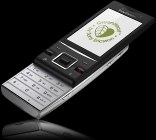
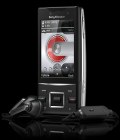
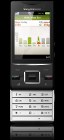
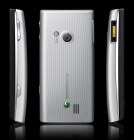
Sony Ericsson Hazel

Long-time Sony Ericsson users may find the Hazel the perfect cure for nostalgia. Monster gadgets like the Vivaz and the XPERIA X10 are trusted to get the brand back on track. But for all we know, it takes a good old-fashioned slider to rekindle the romance.

The Hazel falls in the company’s GreenHeart line of phones. The echo-friendly vibe is perhaps supposed to make up for the missing Cybershot and Walkman magic. The green credentials are all there anyway. The phone is made of recycled plastics and uses waterborne paint. There’s a power-efficient charger in the tiny, shipping-optimized retail box and no user guide (it’s on the phone’s memory instead of being printed on paper).

GreenHeart is Sony Ericsson’s way of saying they care. We all do – but a phone is as likely to save the planet as it is to give you a direct line to Elvis. Either way, it’s not the phone’s fault. So, the Sony Ericsson Hazel will be considered for what it is and what it does. Not for the color of its heart.

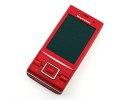
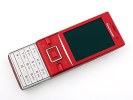
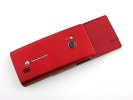
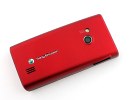
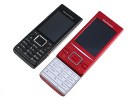
Sony Ericsson HazelSony Ericsson HazelSony Ericsson HazelSony Ericsson Hazel

Sony Ericsson Hazel official photos

The Sony Ericsson Hazel isn’t just another feature phone. It can’t afford it on a market like today’s where cheap smartphones and touchscreen lurk behind every corner. GreenHeart implies some sacrifices but users won’t have to give up on phone features. The Hazel is a high-performance handset with an ample 2.6” mineral glass covered scratch-resistant display solid imaging and all sorts of connectivity options. Not to mention it’s totally weather-proof.

Key features

  • Splash-resistant body with “human curvature” design
  • 2.6" 16M-color TFT screen, 240 x 320 pixels, scratch-resistant surface and nice sunlight legibility
  • Quad-band GSM support
  • Dual-band 3G with 7.2Mbps HSDPA, 2Mbps HSUPA
  • 5 megapixel autofocus camera with LED flash; geotagging, face detection; VGA@30fps video recording
  • Built-in GPS receiver with A-GPS; Trial version of Wisepilot navigation software
  • Wi-Fi with DLNA
  • FM radio with RDS
  • Stereo Bluetooth 2.1
  • microSD card slot, 280 MB internal memory
  • Eco-friendly package and materials
  • Social networking integration, widget enhanced interface
  • NetFront v3.5 web browser with full Flash support
  • Active noise cancellation
  • Excellent audio quality

Main disadvantages

  • No standard USB port
  • No bundled data cable or memory card
  • No 3.5mm audio jack
  • No DivX/XviD video support
  • No document viewer
  • No camera lens cover
  • Feeble loudspeaker
  • Navigation gets expensive when the trial period expires

In terms of connectivity, the Hazel sure is a handful. Along with the HSDPA/HSUPA support (for data transfer speeds reaching 7.2 Mbps), the slider also boasts Wi-Fi and Bluetooth, and a built-in GPS receiver to top it off.

The Sony Ericsson Hazel knows social networking is essential these days and it gives it all – right on the homescreen. The nifty widget set gives you on-screen live updates from Facebook, Twitter and MySpace.

------------------------------------##############-------------------------------------

The other info about Sony Ericsson Hazel

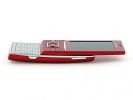
The Sony Ericsson GreenHeart series have been keeping us busy this holiday season, haven't they? We called the Elm red hot and there goes the Hazel, which is simply … red. Now, no offense is meant here - the Hazel just doesn't look as unusual as its sibling. But that's not necessarily a bad thing - another ultimate and classic Sony Ericsson slider can hope for a warm reception by brand-loyal users.

You won't see "green" written all over the phones in the GreenHeart lineup but Sony Ericsson are taking eco-friendliness seriously. The Sony Ericsson Hazel is made of recycled plastics and the user manual is stored in the phone's memory instead printed on paper.

In the small, shipping-optimized retail package you'll also find a low power consumption charger. But what we know already from our Elm preview is that having a GreenHeart is not necessarily a compromise with functionality.

The Sony Ericsson Hazel packs a great 2.6" mineral-glass-covered scratch-resistant display, a promising 5-megapixel sharpshooter and all-you-can-eat connectivity. The Hazel is almost identically equipped as the Elm, which we previewed quite recently.

Sony Ericsson Hazel at a glance:

  • General: GSM 850/900/1800/1900 MHz, UMTS 900/2100, GPRS/EDGE class 10, HSDPA 7.2Mbps, HSUPA 2Mbps
  • Form factor: Slider
  • Dimensions: 102 x 49.5 x 16 mm, 120 g
  • Display: 2.6-inch 16M color TFT display, 240 x 320 pixel resolution, covered with scratch-resistant mineral glass
  • Memory: 319MB integrated memory, hot-swappable microSD card slot (up to 16GB)
  • UI: Proprietary Flash-based UI
  • Still camera: 5 megapixel autofocus camera with LED flash, geo-tagging, face detection, smile detection, VGA video recording @ 30 fps
  • Connectivity: Wi-Fi with DLNA, Bluetooth 2.0 with A2DP, GPS receiver with A-GPS
  • Misc: Splash-resistant body, accelerometer sensor for screen auto rotation, SensMe, Noise Shield, Clear Voice and Intelligent Volume Adaptation, social networking integration with homescreen Widget Manager, HD Voice Ready
  • Battery: 1000 mAh BST-43 Li-Po battery

Besides fast network data (up to 7.2 mbps download speed), the Hazel sports Wi-Fi and an inbuilt GPS receiver complete with A-GPS support and Wisepilot navigation.

The real news would've been the homescreen widget system with enhanced social networking integration but both GreenHeart handsets we got are early testing samples, so social networking will have to wait until a full review.


Design and construction

Two color options are announced for the Sony Ericsson Hazel - Superior Black and Passionate Rouge. It's pretty similar to the paintjob selection for the Elm. Red is perhaps not everyone's (or should we say "men's") cup of tea but the black version is certainly looking to respond to unisex demand.

Just like the Elm, the Hazel's body is said to be splash resistant. We hope to have the chance to test that during a proper review.

An underlying feature of the GreenHeart duo is the ergonomically curved rear: a human curvature as Sony Ericsson call it. As soon as you hold the phone in your hand, you'll get the point. The handset fits your palm nice and tight and in the case of the Hazel, makes sure to slightly raise the keypad for better comfort. Nice, indeed!

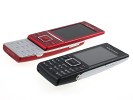
Sony Ericsson Hazel Sony Ericsson Hazel Sony Ericsson Hazel Sony Ericsson Hazel


Sony Ericsson Hazel live shots

The ergonomic curve and a few shared styling elements are not the only things the new GreenHeart duo has in common. In fact, both devices have the same list of features.

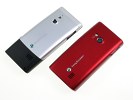
Sony Ericsson Hazel Sony Ericsson Hazel Sony Ericsson Hazel Sony Ericsson Hazel

Sony Ericsson Hazel and Elm at ours

One thing we should note though, while we are still on the Elm. Almost the whole rear of candybar is made of metal for a very solid upmarket feel. There's a bit of metallic finish on the Hazel but the truth is it's all plastic. Real metal would've perhaps made it too heavy - the Hazel isn't really preoccupied with being slim.

It's by no means bulky though - it's just that the rear curve wouldn't have allowed an ultra slim waistline. Other than the flashy paintjob, the Hazel actually sticks to minimalist design and has an extra nice and solid hand feel and commendably comfortable handling.

Below the screen there is a neat and spacious navigation deck centered around a rectangular D-pad. Like we observed on the Elm, the layout is clean and very user-friendly.

All keys are very big and comfortable (notably larger than on the Elm, thanks to the slider form factor) and have pleasant press feedback.
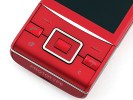
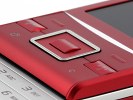
Sony Ericsson Hazel Sony Ericsson Hazel
The keys below the screen look nice and are comfy

The alphanumeric keypad is equally comfortable. Buttons are flat but well sized and solid to press, so typing on the Hazel is a real pleasure.
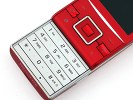
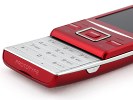
Sony Ericsson Hazel Sony Ericsson Hazel

A nice and spacious numpad

The left side of Sony Ericsson Hazel features nothing but the regular Fast Port: it seems a standard 3.5mm jack / microUSB combo is too much to ask in the midrange.
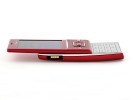
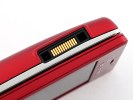
Sony Ericsson Hazel Sony Ericsson Hazel

Sony Ericsson Hazel's left side view

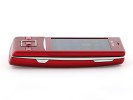
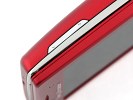
The right side of the handset is the top side in digicam terms. It hosts the volume keys and the camera button. The volume rocker has the same curved shape as in the Elm but is thinner this time and somewhat stiffer to press. The shutter key on the other hand is quite comfortable - with a soft but distinct half press for autofocus.

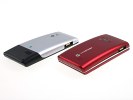
Sony Ericsson Hazel Sony Ericsson Hazel Sony Ericsson Hazel Sony Ericsson Hazel

Volume rocker and camera button are on the right

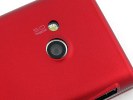
Backstage we find the 5 megapixel auto-focus camera lens, accompanied by a LED flash. The loudspeaker grill is also here.

Sony Ericsson Hazel Sony Ericsson Hazel Sony Ericsson Hazel

5 megaixel camera is at the back, along with the LED flash and a speaker

Removing the battery cover reveals the Sony Ericsson BST-43 1000 mAh Li-Polymer battery. It is quoted at up to 450 hours of stand-by and up to 10 hours of talk time but as you might have guessed, we won't be able to comment on those numbers in this short preview.

Nearby is the microSD card slot which is ready to accommodate cards of up to 16GB of memory.
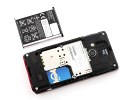
Sony Ericsson Hazel

The Sony Ericsson Hazel is powered by a 1000 mAh Li-Po battery

The build quality of the Sony Ericsson Hazel seems to raise no issues considering the early stages of the phone's development. The all plastic construction is quite solid and the phone feels great in hand. The curved shape and friendly controls make it especially comfortable to handle. The smooth and solid slider run and the nice numpad are worth noting too.
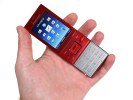
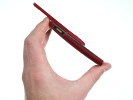
Sony Ericsson Hazel Sony Ericsson Hazel

The Sony Ericsson Hazel feels pretty good to handle right now

Gorgeous display

Sony Ericsson Hazel comes with a 2.6" 16M-color display of QVGA resolution. The size is a serious advantage over the Elm's 2.2-incher. Hazel display is also covered with mineral glass and is said to be scratch resistant.

Dry facts aside, the screen is gorgeous: image quality is remarkable. The QVGA resolution is hardly anything to write home about but the crisp and vibrant images are what really matters here.
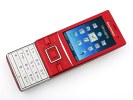
Sony Ericsson Hazel Sony Ericsson Hazel

The Sony Ericsson Hazel display is gorgeous

info taken from here.

Here is the link to the Sony Ericsson Greenheart blog. Click here.

p/s : some say that overall quality of the phone is low. The ringtone sound is very low.
p/s : dah lama aku tak update pasal apa-apa gadget kan? skang ni aku kongsikan ini..
p/s: aku tengah target phone ni senanya...haha..

Thursday, October 14, 2010

Inspira pengganti Waja


Model terbaru Proton akan diumumkan pada 15 atau 16 Oktober nanti. Model ini dengarnya diberi nama Inspira, Proton Inspira. Nama yang cantik dan begitu mempunyai maksud tersendiri.Model ini adalah model gantian kepada model Proton Waja yang akan diberhentikan keluarannya kelak dan ia adalah direka bentuk hasil daripada kerjasama antara Proton dan juga Mitsubishi yang berdasarkan kepada model Mitsubishi Lancer.

Kendalian dan sistem suspension model baru ini telah dipertingkatkan oleh proton dan sentuhan 'pemanduan sebelah kanan Lotus' adalah ciri-ciri yang disesuaikan dengan permukaan jalan serta gaya pemanduan tempatan.


Daripada beberapa info yang aku dapat, Proton Inspira akan dikeluarkan dalam 3 versi iaitu 1.8 MT, 1.8 CVT Auto dan 2.0 CVT Premium. Kereta baru, mestilah korang nk tahu pasal harga kan?...
Okay, ini adalah harga secara kasar untuk Proton Inspira
  • 1.8 MT - RM79,000 ++
  • 1.8 CVT Auto - RM87,000 ++
  • 2.0 CVT Premium - RM94,000 ++
Model baru ni nampak lebih sporty dan sesuai kepada semua. Nice one!!! Kepada pemilik waja, korang mesti berbulu punya lah tengok model ni lalu sebelah waja korang nanti...haha lebih kacak dan bergaya...

Kepada sesiapa yang berminat tu, boleh la buat tempahan sekarang di kedai pengedar Proton berdekatan..bayar muka hanya RM 1000 kalau tak silap..

p/s : Sama-samalah menyokong keluaran tempatan..keluaran tempatan mempunyai taraf yang sama dengan yang diimport. Jangan mengagung-agungkan barangan import..

p/s : Jangan hanya tahu kritik dan melemparkan tuduhan je.. bantulah ekonomi negara..


Thursday, July 29, 2010

The New iMac

Dah lama aku tak update apa-apa info pasal gadgets kn.. kali ni aku update pasal iMac paling latest, ini apa yang aku terima emel dari apple... enjoy!

iMac

Displays like nothing you’ve ever seen.

LED backlighting. One bright idea.

Full brightness with no waiting. That’s the big advantage of the LED-backlit iMac display. Unlike most displays that take time to warm up before they reach maximum brightness, an LED-backlit display is instantly on and uniformly bright. LED backlighting also gives you greater control over screen brightness. So you can finely tune the iMac display to suit the ambient light in even the dimmest room.

More pixels. Better picture.

iMac offers some prime pixel real estate. The 21.5-inch, 1920-by-1080 display has 17 percent more pixels than the previous 20-inch iMac. The 27-inch, 2560-by-1440 display has a whopping 78 percent more pixels than the 21.5-inch iMac. And a 1000:1 contrast ratio gives you more vibrant colours and blacker blacks. All that in a widescreen display with a 16:9 aspect ratio — the same as an HD TV.

Stunning from every angle.

The iMac display looks great from any seat in the house, thanks to a premium display technology called in-plane switching (IPS). IPS gives you a bright picture with excellent colour — even if you’re viewing the display from the side.


The new performance standard.


New Intel Core processors across the line.

All iMac models now include processors from the blazing-fast Intel Core series, featuring an advanced processor architecture that helps set new performance benchmarks for iMac. The 21.5-inch models and one 27-inch model come standard with a dual-core Intel Core i3 processor starting at 3.06GHz. For even more performance, choose the top-of-the-line 27-inch iMac with a quad-core Intel Core i5 at 2.8GHz or optional Intel Core i7 at 2.93GHz. Four cores make just about everything you do faster: managing your photos, editing HD video, even playing graphics-intensive 3D games. And since Mac OS X Snow Leopard is designed to take full advantage of Intel dual- and quad-core architectures, you get the fastest performance possible.

Revved-up graphics.

Every iMac comes with high-performance discrete graphics processors from AMD that make games run smoother, photos load faster, and pro applications work better.

Plenty of memory and storage.

The new iMac has 4GB of DDR3 memory standard — now running even faster at 1333MHz — with room in its four SO-DIMM slots for up to 16GB, so you can use more applications simultaneously. And with a Serial ATA hard drive up to 2TB,1 feel free to load up on photos, videos, and music.

Add an ultrafast solid-state drive.

To give your iMac a real performance boost, configure your 27-inch iMac on the Apple Online Store with an optional 256GB solid-state drive. You can choose it as your only drive or have it installed in addition to the built-in hard drive, allowing you to store the operating system, critical applications, and important files on the solid-state drive and your other files on the hard drive. Because solid-state drives have no moving parts, the computer can access data at over twice the speed of hard drives. Which makes starting up your iMac and launching applications faster than you ever thought possible.

Built-in Wi-Fi.

High-speed 802.11n wireless technology is built into iMac. And with Time Capsule or the AirPort Express Base Station, every computer in every room can wirelessly connect to iMac, the Internet, and each other.2 Over this network, everyone can print, surf the web, and play music on iTunes through your home stereo — wirelessly.


Two ways to Multi-Touch — Magic Mouse or Magic Trackpad.

Click

Click or double-click anywhere. The whole surface is a button.

Two-Button Click

Set up two-button click (right-click) in System Preferences.

360º Scroll

Scroll with one finger to move vertically and horizontally.

Screen Zoom

Hold down the Control key and scroll with one finger to magnify the screen.

Two-Finger Swipe

Swipe left and right with two fingers to go forward and back in Safari or iPhoto.


The new Magic Trackpad.

Also available for your iMac, the new Magic Trackpad is the first Multi-Touch trackpad designed to work with your Mac desktop computer. Like the trackpad on a MacBook or MacBook Pro, Magic Trackpad supports a full set of Multi-Touch gestures.

Wireless keyboard.

iMac banishes desktop clutter completely with a wireless keyboard to go with the wireless Magic Mouse. This low-profile keyboard takes up less desk space — 24 percent less — than larger keyboards. There’s no numeric keypad, so you can place your mouse comfortably next to the keyboard. And built-in Bluetooth wireless technology means there are no cables to connect.

Apple Battery Charger

Get the ultimate power supply for your wireless Mac accessories. The Apple Battery Charger comes with six high-performance AA NiMH batteries that are charged and ready to use right out of the box. And when it’s time to recharge, the charger works quickly and efficiently.


An iSight camera, hidden in plain view.

iSight camera.

Look closely: Hidden behind the glass display at the top of iMac is an iSight camera. Use it with iChat, and you can be anywhere without actually being there. Video chat with up to three of your friends, share a video with a colleague, or present to a client.3 Use iSight with Photo Booth for fun photo effects. And there’s no need to waste valuable primping time installing software or configuring the camera. Like everything Mac, iSight just works.

Ports for everything. And then some.


  • Audio out
  • Audio in
  • USB 2.0
  • FireWire 800
  • Mini DisplayPort
  • Gigabit Ethernet

Mini DisplayPort.

The Mini DisplayPort lets you connect an external display, including the Apple LED Cinema Display, to your iMac. On the 27-inch iMac, the same port offers input, too. So you can connect any external source that has DisplayPort output — including a MacBook or MacBook Pro — and use your iMac as a display.

Wall mountable.

It’s easy to give your iMac a place of honor on the wall. The 27-inch iMac is compatible with the VESA Mount Adapter Kit for use with wall mounts and articulating arms.

SDXC card slot.

Transfer your photos and videos to and from your iMac just as fast as you’re able to take them. The built-in SDXC card slot works with standard SD and SDHC cards along with the new SDXC format, which supports capacities up to 2TB. Just insert your camera’s memory card and import your photos to iPhoto. From there, it’s easy to organise your photos by the people in them, share them online, or create photo books.

USB and FireWire.

Bring on your iPod, digital camera, mobile phone, and external hard drive. If it has a cable, iMac has a port for it. Four USB 2.0 ports and a FireWire 800 port give you plenty of peripheral possibilities.

On every Mac.

Highly secure and reliable, a Mac is built on Mac OS X Snow Leopard: the world’s most advanced operating system. And every Mac comes with software that lets you do more with photos, movies, and music.


For more info click this http://www.apple.com/asia/mac/
Related Posts Plugin for WordPress, Blogger...